Using AgentRouter with OpenAI Codex
Complete guide to set up OpenAI Codex with AgentRouter API
Using AgentRouter with Codex
This guide will help you configure OpenAI Codex to use AgentRouter as your API provider.
Install Codex
pnpm install -g @openai/codexnpm install -g @openai/codexyarn global add @openai/codexConfigure Environment Variables
- Visit agentrouter.org/console/token to get your API Key
- Set the system environment variable
AGENT_ROUTER_TOKENwith your API key - Create the configuration file
~/.codex/config.toml:
model = "gpt-5"  # Can also be: glm-4.5, glm-4.6, deepseek-v3.1
model_provider = "openai-chat-completions"
preferred_auth_method = "apikey"

[model_providers.openai-chat-completions]
name = "OpenAI using Chat Completions"
base_url = "https://agentrouter.org/v1"
env_key = "AGENT_ROUTER_TOKEN"
wire_api = "chat"
query_params = {}
stream_idle_timeout_ms = 300000- Create the auth file
~/.codex/auth.json:
{
  "OPENAI_API_KEY": "YOUR_AGENTROUTER_API_KEY"
}
Important
Replace YOUR_AGENTROUTER_API_KEY with your actual API key from AgentRouter Console.
Launch Codex
After configuration, navigate to your project directory and start Codex:
# Navigate to your project directory
cd my-project

# Launch OpenAI Codex
codex
Using Codex in VSCode
- Install Codex CLI following the instructions above
- Open VSCode and install the Codex extension
- Go to Settings and click the icon in the upper right corner to switch to JSON configuration mode
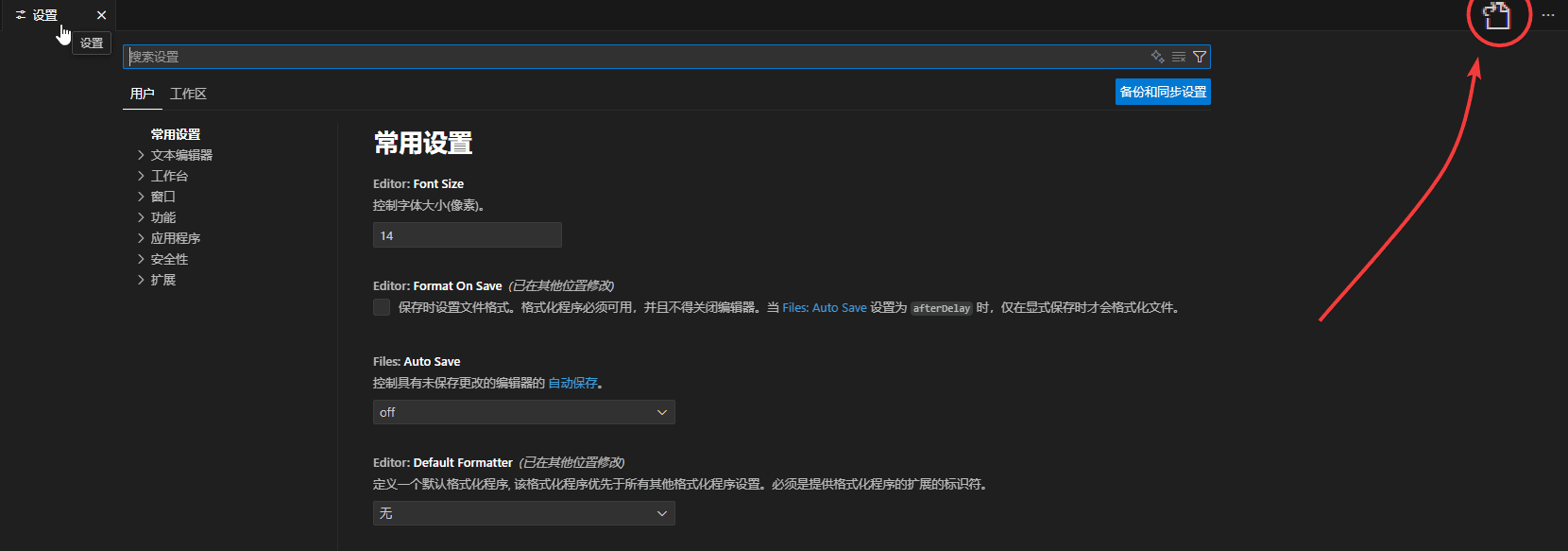
- Add the following configuration:
{
  "chatgpt.apiBase": "https://agentrouter.org/v1",
  "chatgpt.config": {
    "preferred_auth_method": "api_key",
    "model_provider": "openai-chat-completions"
  }
}
- Click the Codex icon to start using it!
Available Models
| Model | Description |
|---|---|
gpt-5 | Latest GPT model |
glm-4.5 | GLM 4.5 model |
glm-4.6 | GLM 4.6 model |
deepseek-v3.1 | DeepSeek V3.1 model |
deepseek-v3.2 | DeepSeek V3.2 model |